Satya Mallick, LearnOpenCV.com
What is tracking?
Tracking in computer vison.
Motion model and appearnace model.
OpenCV API Tracker Class.
# !pip uninstall numpy -y
# !pip install numpy==1.26.4
# !pip uninstall opencv-python -y
# !pip install opencv-contrib-python==4.9.0.80# Import modules
# import urllib
import os
import sys
import cv2
import numpy as np
import matplotlib.pyplot as plt
from zipfile import ZipFile
from urllib.request import urlretrieve
from IPython.display import HTML
from matplotlib.animation import FuncAnimation
from IPython.display import YouTubeVideo, display, HTML
from base64 import b64encode
%matplotlib inlineDownload Assets
def download_and_unzip(url, save_path):
    print(f"Downloading and extracting assests....", end="")

    # Downloading zip file using urllib package.
    urlretrieve(url, save_path)

    try:
        # Extracting zip file using the zipfile package.
        with ZipFile(save_path) as z:
            # Extract ZIP file contents in the same directory.
            z.extractall(os.path.split(save_path)[0])

        print("Done")

    except Exception as e:
        print("\nInvalid file.", e)
URL = r"https://www.dropbox.com/s/ld535c8e0vueq6x/opencv_bootcamp_assets_NB11.zip?dl=1"
asset_zip_path = os.path.join(os.getcwd(), "opencv_bootcamp_assets_NB11.zip")
# Download if assest ZIP does not exists.
if not os.path.exists(asset_zip_path):
download_and_unzip(URL, asset_zip_path)Tracker Class in OpenCV
BOOSTING
MIL
KCF
CRST
TLD
Tends to recover from occulusions
MEDIANFLOW
Good for predictable slow motion
GOTURN
Deep Learning based
Most Accurate
MOSSE
Fastest
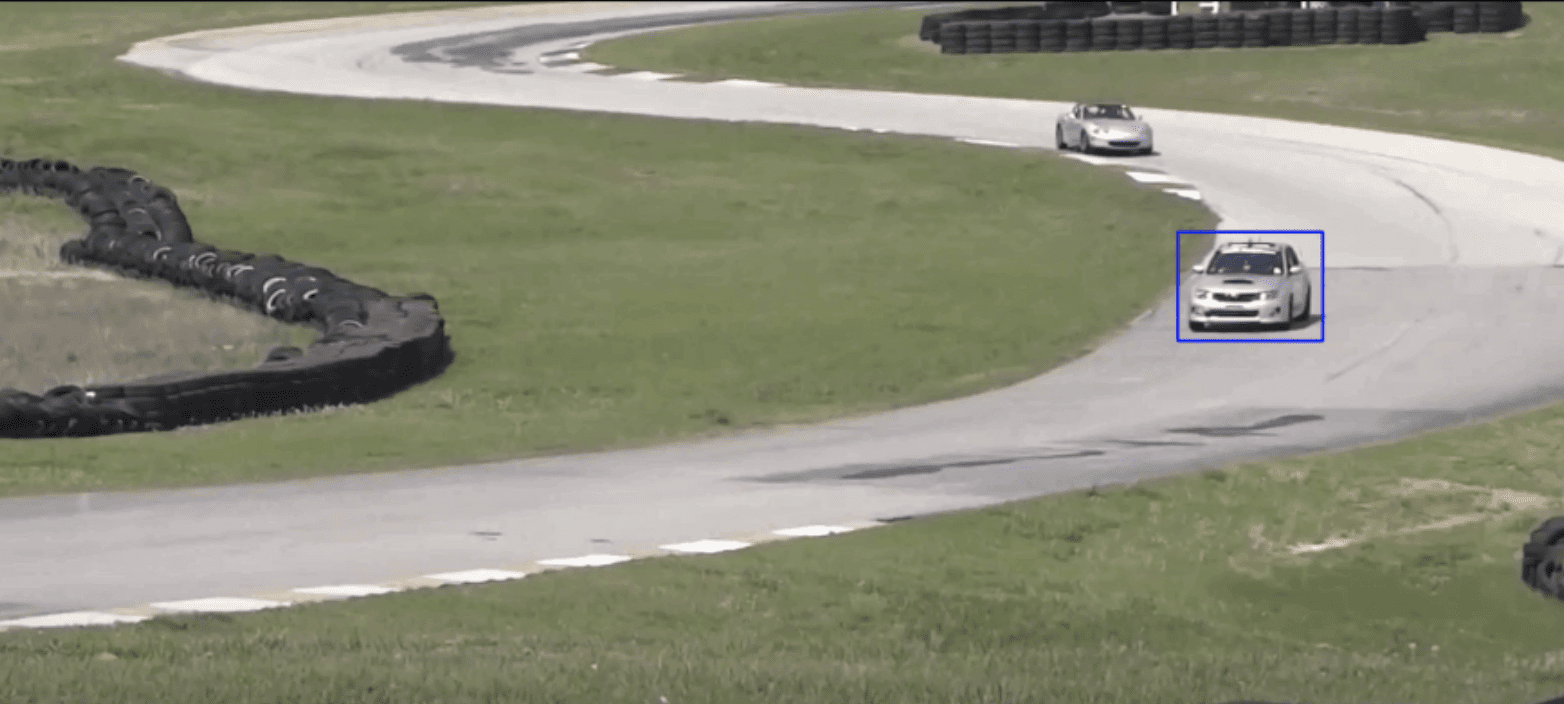
video = YouTubeVideo("XkJCvtCRdVM")
display(video)
Loading...
video_input_file_name = "race_car.mp4"


def drawRectangle(frame, bbox):
    p1 = (int(bbox[0]), int(bbox[1]))
    p2 = (int(bbox[0] + bbox[2]), int(bbox[1] + bbox[3]))
    cv2.rectangle(frame, p1, p2, (255, 0, 0), 2, 1)


def displayRectangle(frame, bbox):
    plt.figure(figsize=(20, 10))
    frameCopy = frame.copy()
    drawRectangle(frameCopy, bbox)
    frameCopy = cv2.cvtColor(frameCopy, cv2.COLOR_RGB2BGR)
    plt.imshow(frameCopy)
    plt.axis("off")


def drawText(frame, txt, location, color=(50, 170, 50)):
    cv2.putText(frame, txt, location, cv2.FONT_HERSHEY_SIMPLEX, 1, color, 3)
GOTURN Tracker
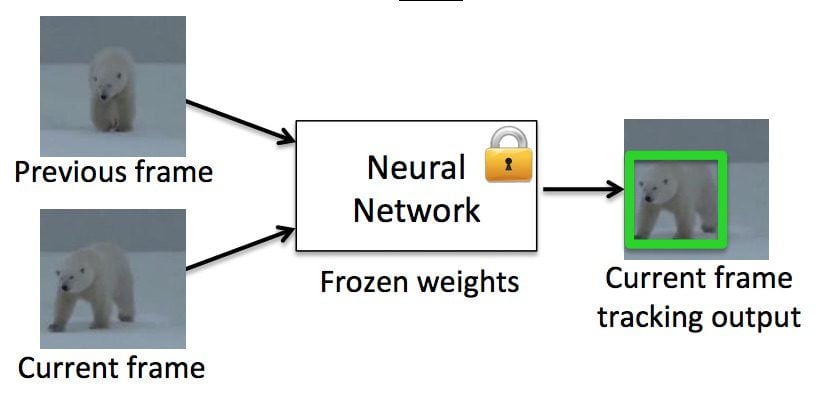
Create the Tracker instance
# Set up tracker
tracker_types = [
    "BOOSTING",
    "MIL",
    "KCF",
    "CSRT",
    "TLD",
    "MEDIANFLOW",
    "GOTURN",
    "MOSSE",
]

# Change the index to change the tracker type
tracker_type = tracker_types[3]

if tracker_type == 'BOOSTING':
    tracker = cv2.legacy.TrackerBoosting_create()
elif tracker_type == 'MIL':
    tracker = cv2.TrackerMIL_create()
elif tracker_type == 'KCF':
    tracker = cv2.TrackerKCF_create()
elif tracker_type == 'TLD':
    tracker = cv2.legacy.TrackerTLD_create()
elif tracker_type == 'MEDIANFLOW':
    tracker = cv2.legacy.TrackerMedianFlow_create()
elif tracker_type == 'GOTURN':
    tracker = cv2.TrackerGOTURN_create()
elif tracker_type == "CSRT":
    tracker = cv2.TrackerCSRT_create()
elif tracker_type == "MOSSE":
    tracker = cv2.legacy.TrackerMOSSE_create()
else:
    tracker = None
Read input video & Setup output Video
# Read video
video = cv2.VideoCapture(video_input_file_name)
ok, frame = video.read()

# Exit if video not opened
if not video.isOpened():
    print("Could not open video")
    sys.exit()
else:
    width = int(video.get(cv2.CAP_PROP_FRAME_WIDTH))
    height = int(video.get(cv2.CAP_PROP_FRAME_HEIGHT))

video_output_file_name = "race_car-" + tracker_type + ".mp4"
video_out = cv2.VideoWriter(video_output_file_name, cv2.VideoWriter_fourcc(*"XVID"), 10, (width, height))

video_output_file_name
OpenCV: FFMPEG: tag 0x44495658/'XVID' is not supported with codec id 12 and format 'mp4 / MP4 (MPEG-4 Part 14)'
OpenCV: FFMPEG: fallback to use tag 0x7634706d/'mp4v'
'race_car-CSRT.mp4'Define Bounding Box
# Define a bounding box
bbox = (1300, 405, 160, 120)
# bbox = cv2.selectROI(frame, False)
# print(bbox)
displayRectangle(frame, bbox)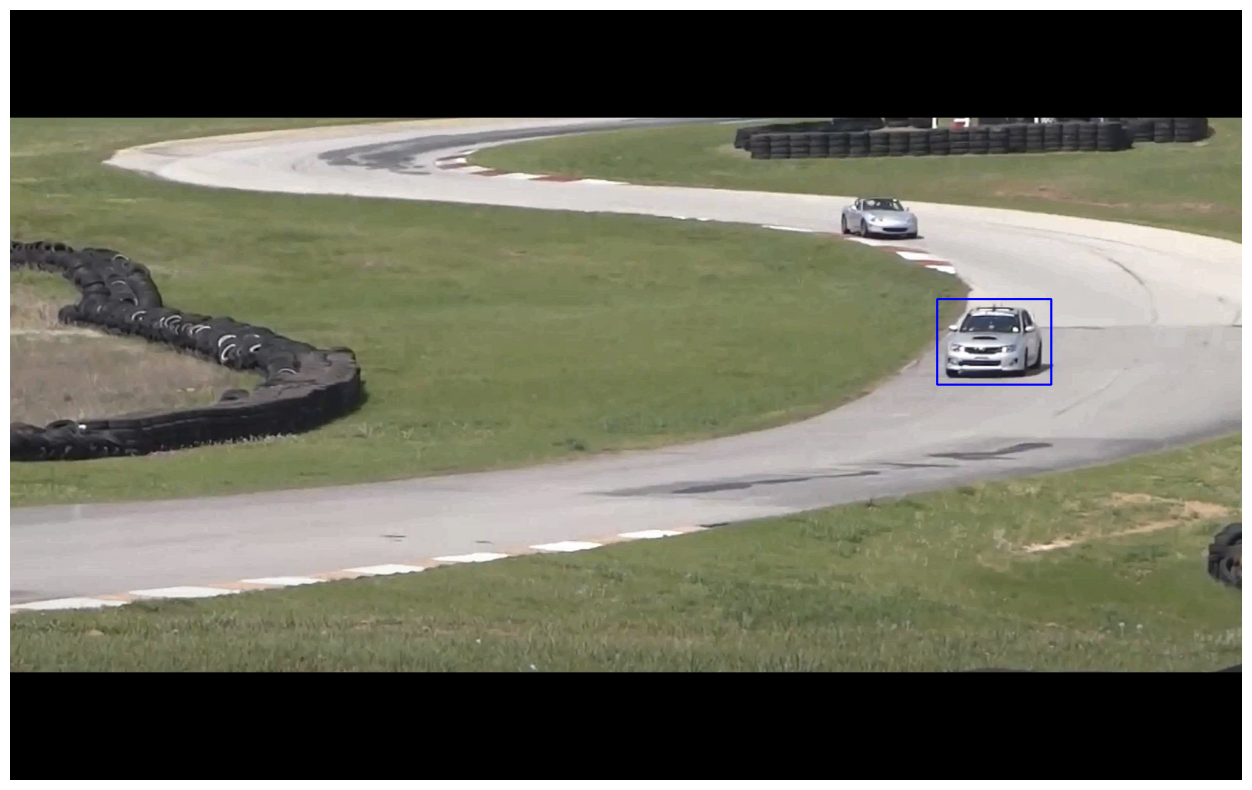
Intilialize Tracker
One frame
A bounding box
# Initialize tracker with first frame and bounding box

ok = tracker.init(frame, bbox)
Read frame and Track Object
while True:
    ok, frame = video.read()

    if not ok:
        break

    # Start timer
    timer = cv2.getTickCount()

    # Update tracker
    ok, bbox = tracker.update(frame)

    # Calculate Frames per second (FPS)
    fps = cv2.getTickFrequency() / (cv2.getTickCount() - timer)

    # Draw bounding box
    if ok:
        drawRectangle(frame, bbox)
    else:
        drawText(frame, "Tracking failure detected", (80, 140), (0, 0, 255))

    # Display Info
    drawText(frame, tracker_type + " Tracker", (80, 60))
    drawText(frame, "FPS : " + str(int(fps)), (80, 100))

    # Write frame to video
    video_out.write(frame)

video.release()
video_out.release()
# Installing ffmpeg
# !apt-get -qq install ffmpeg
# Change video encoding of mp4 file from XVID to h264
!ffmpeg -y -i {video_output_file_name} -c:v libx264 $"race_car_track_x264.mp4" -hide_banner -loglevel errorRender MP4 Video
# mp4 = open("/content/race_car_track_x264.mp4", "rb").read() # for google colab
mp4 = open("$race_car_track_x264.mp4", "rb").read()
data_url = "data:video/mp4;base64," + b64encode(mp4).decode()

HTML(f"""<video width=1024 controls><source src="{data_url}" type="video/mp4"></video>""")
Loading...
The expected video rendered in the above cell should be the same as the following.
# Tracker: KCF
video = YouTubeVideo("pk3tmdRX4ww")
display(video)
Loading...
# Tracker: CSRT
video = YouTubeVideo("6gGDf-7ypBE")
display(video)
Loading...
# Tracker: GOTURN
video = YouTubeVideo("0bnWxc4zMvY")
display(video)
Loading...